> For the complete documentation index, see [llms.txt](https://docs.xei.finance/llms.txt). Markdown versions of documentation pages are available by appending `.md` to page URLs; this page is available as [Markdown](https://docs.xei.finance/product-guides/tutorial/how-to-start-a-market-swap.md).

# How to Start a Market Swap

Market swap is a key feature of XEI, exemplifying the advantages of a DEX. Follow these simple steps to complete a market swap:

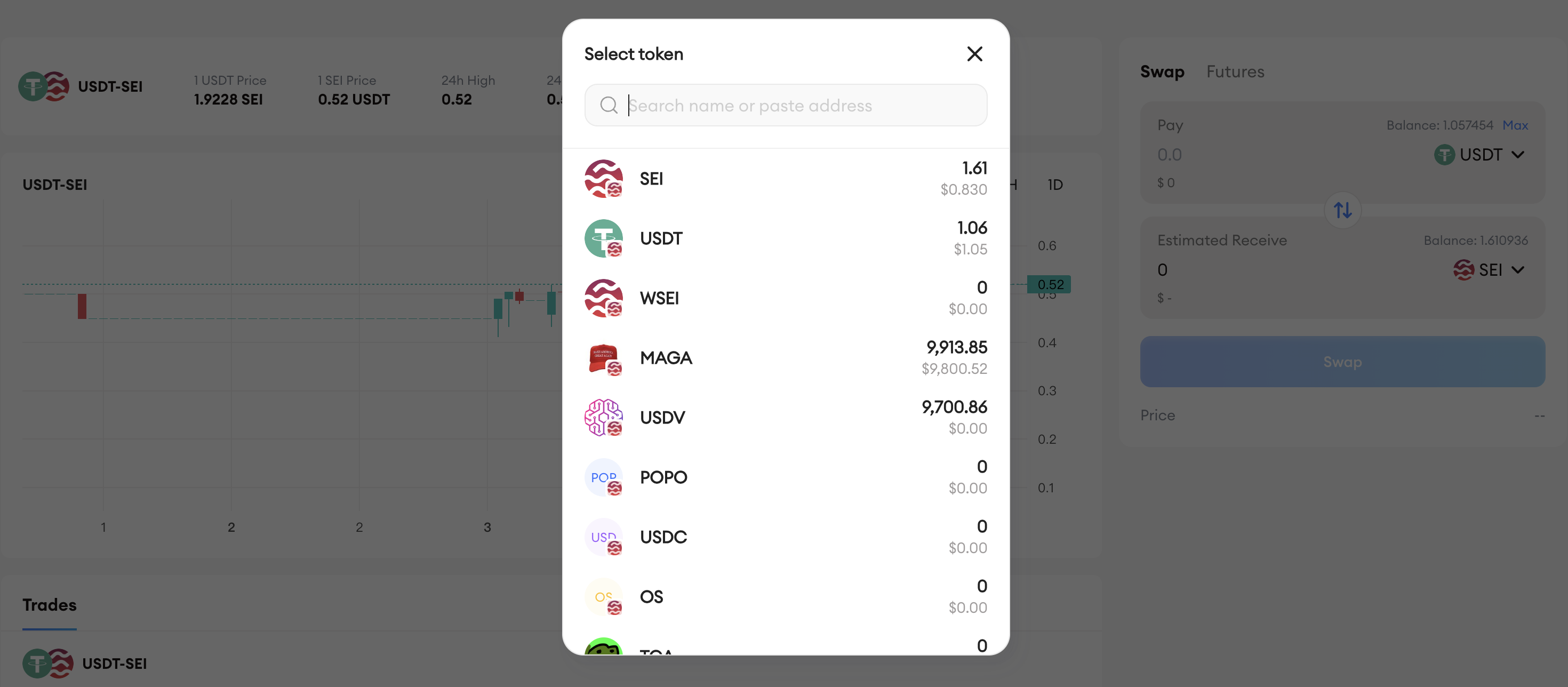
1. Open the token dropdown by selecting the token name.

<figure><img src="/files/ohH94ADVzqJvgCqxX1lA" alt=""><figcaption></figcaption></figure>

2. Find and select your swap token from the list or by searching its name or address.

> * Choose your target token by clicking another token name.
> * Locate and select your target token, either from the list or via search.

<figure><img src="/files/dL82uHgMmJk28G09STTx" alt=""><figcaption></figcaption></figure>

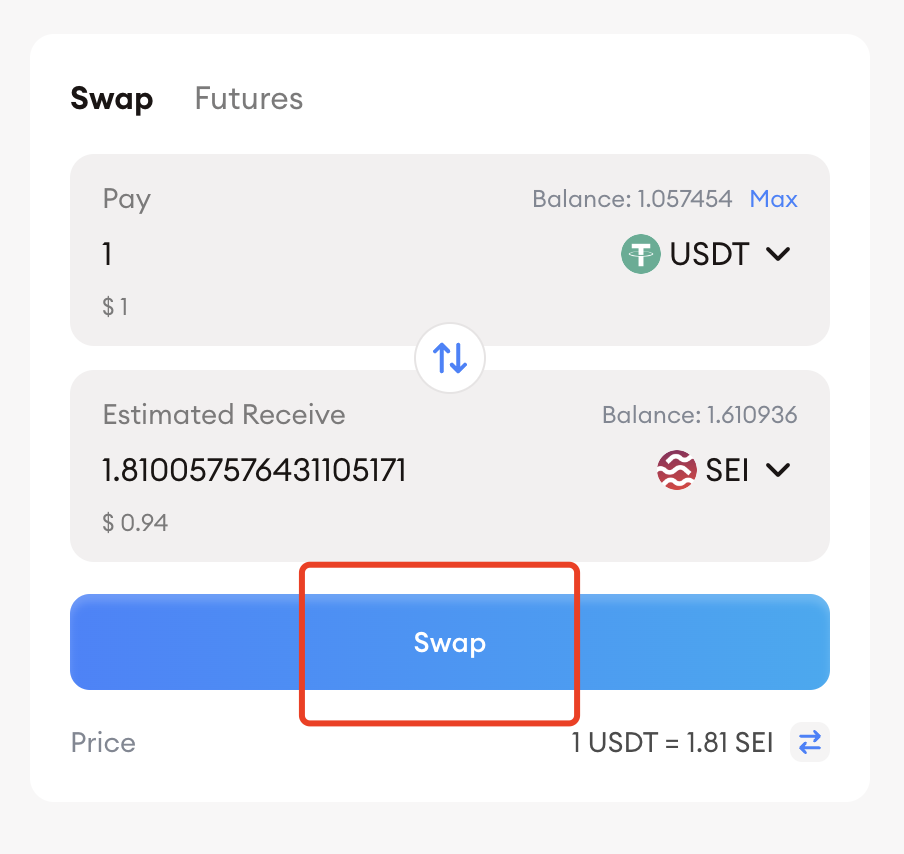
3. Enter the swap amount or select “**Max**” to use all available tokens. Click "**Swap**".

<figure><img src="/files/TUby9Plr1awcyod8f6WT" alt=""><figcaption></figcaption></figure>

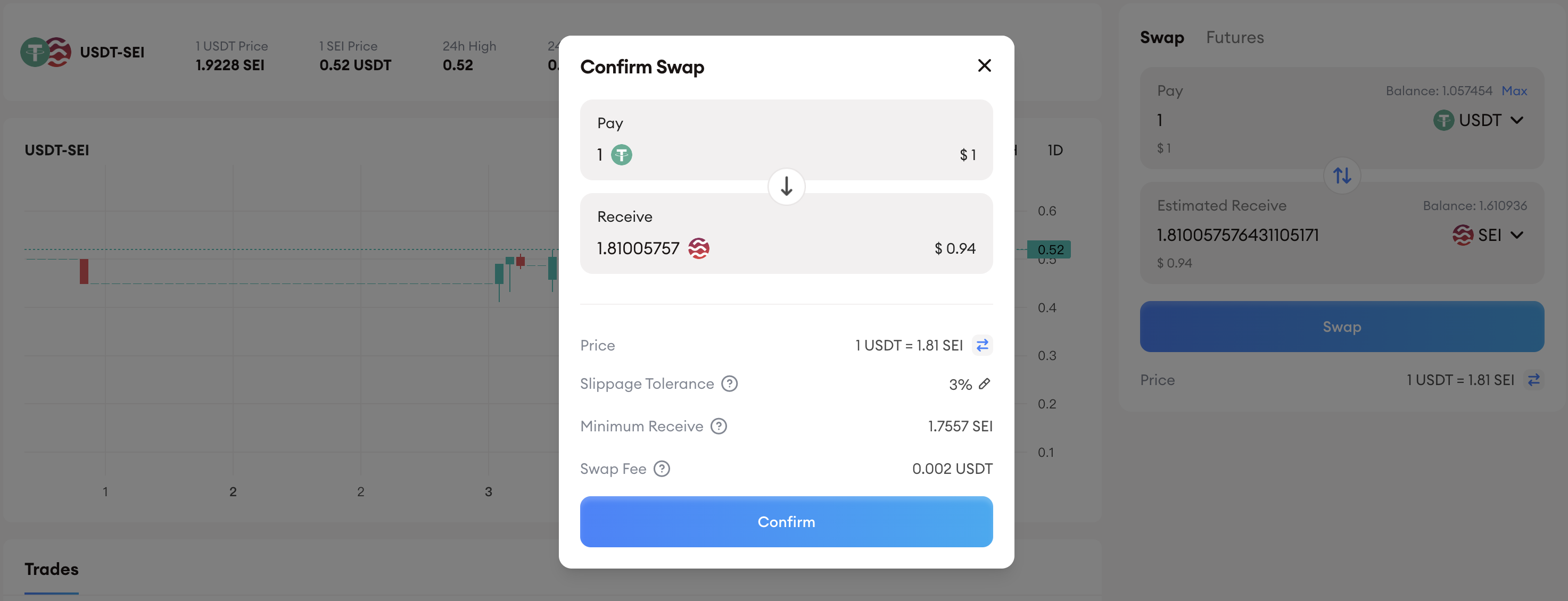
4. Review and confirm the details, then click “**Confirm**”.

<figure><img src="/files/ccMeSWb7L7gXppCrOUCh" alt=""><figcaption></figcaption></figure>

5. After the transaction is completed, you can view the transaction records here.

<figure><img src="/files/0ldWFNzvmPbJXJmbayjT" alt=""><figcaption></figcaption></figure>